Typography scale
Fonts can either be uploaded or hosted as required for each font family to customise beyond the default system font of 'Open Sans'. Within the Style Guide Manager, there are options to have multiple H1and H2 styles. See usage tab for guidance on this. To ensure flexibility and consistency, font sizes will be set using a range slider with increments of 4px. The minimum recommended font size for standard paragraph is 16px across all devices.
- Desktop
- Tablet
- Mobile
- Usage
H1 desktop 44px
| Property | Value | Example Text |
|---|---|---|
| Family | Open Sans (400) | The quick brown fox jumped over the lazy dog |
| Size | 44px | |
| Line height | 56px |
Paragraph desktop 16px
| Property | Value | Example Text |
|---|---|---|
| Family | Open Sans (400) | The quick brown fox jumped over the lazy dog |
| Size | 16px | |
| Line height | 24px |
H2 desktop 32px
| Property | Value | Example Text |
|---|---|---|
| Family | Open Sans (400) | The quick brown fox jumped over the lazy dog |
| Size | 32px | |
| Line height | 42px |
H4 desktop 20px
| Property | Value | Example Text |
|---|---|---|
| Family | Open Sans (400) | The quick brown fox jumped over the lazy dog |
| Size | 20px | |
| Line height | 25px |
H3 desktop 24px
| Property | Value | Example Text |
|---|---|---|
| Family | Open Sans (400) | The quick brown fox jumped over the lazy dog |
| Size | 24px | |
| Line height | 32px |
Small paragraph desktop 12px
| Property | Value | Example Text |
|---|---|---|
| Family | Open Sans (400) | The quick brown fox jumped over the lazy dog |
| Size | 12px | |
| Line height | 20px |
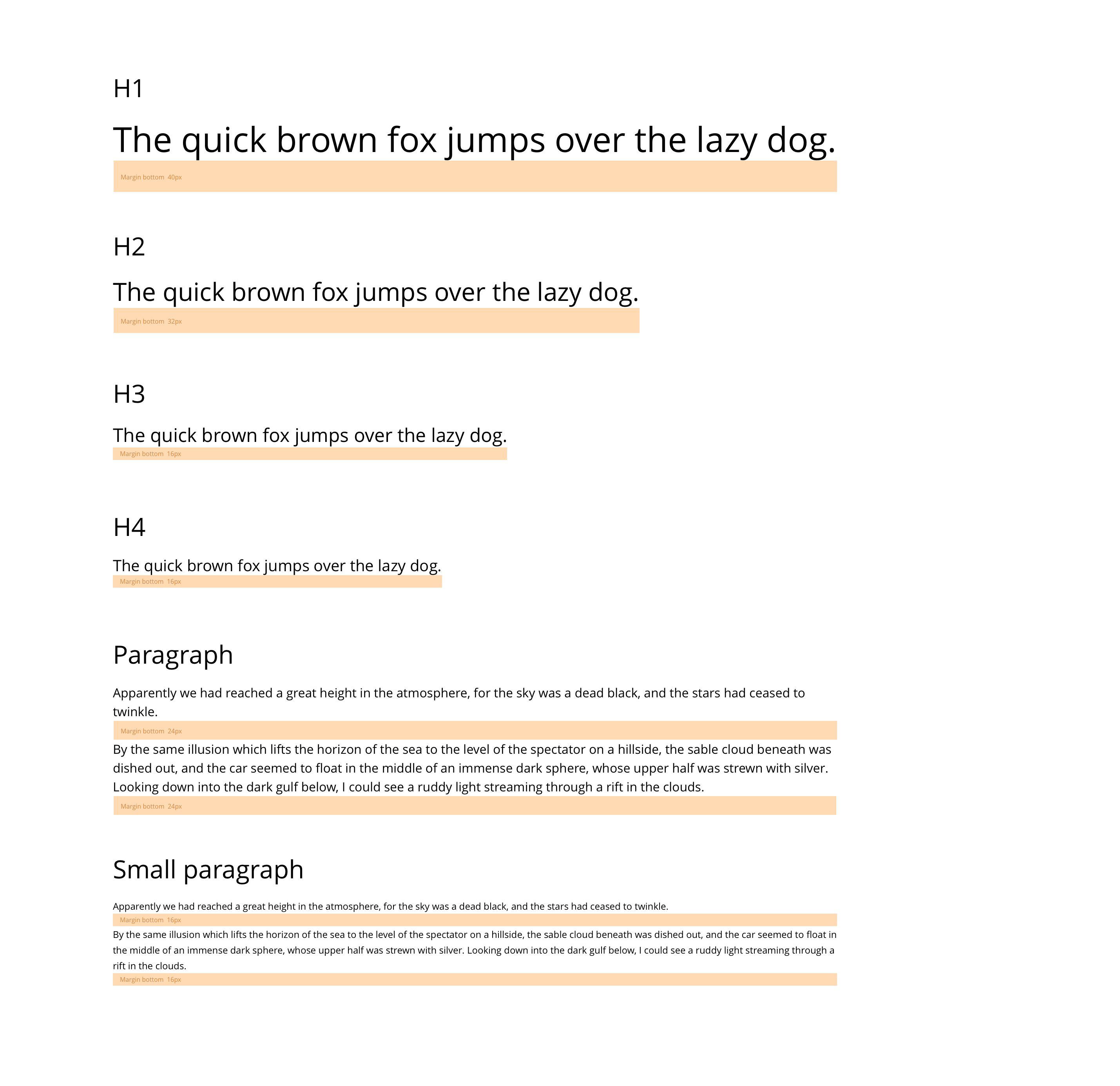
Desktop
H1 tablet 36px
| Property | Value | Example Text |
|---|---|---|
| Family | Open Sans (400) | The quick brown fox jumped over the lazy dog |
| Size | 36px | |
| Line height | 50px |
H2 tablet 28px
| Property | Value | Example Text |
|---|---|---|
| Family | Open Sans (400) | The quick brown fox jumped over the lazy dog |
| Size | 28px | |
| Line height | 38px |
H3 tablet 22px
| Property | Value | Example Text |
|---|---|---|
| Family | Open Sans (400) | The quick brown fox jumped over the lazy dog |
| Size | 22px | |
| Line height | 30px |
H4 tablet 18px
| Property | Value | Example Text |
|---|---|---|
| Family | Open Sans (400) | The quick brown fox jumped over the lazy dog |
| Size | 18px | |
| Line height | 22px |
Paragraph tablet 16px
| Property | Value | Example Text |
|---|---|---|
| Family | Open Sans (400) | The quick brown fox jumped over the lazy dog |
| Size | 16px | |
| Line height | 24px |
Small paragraph tablet 16px
| Property | Value | Example Text |
|---|---|---|
| Family | Open Sans (400) | The quick brown fox jumped over the lazy dog |
| Size | 12px | |
| Line height | 20px |
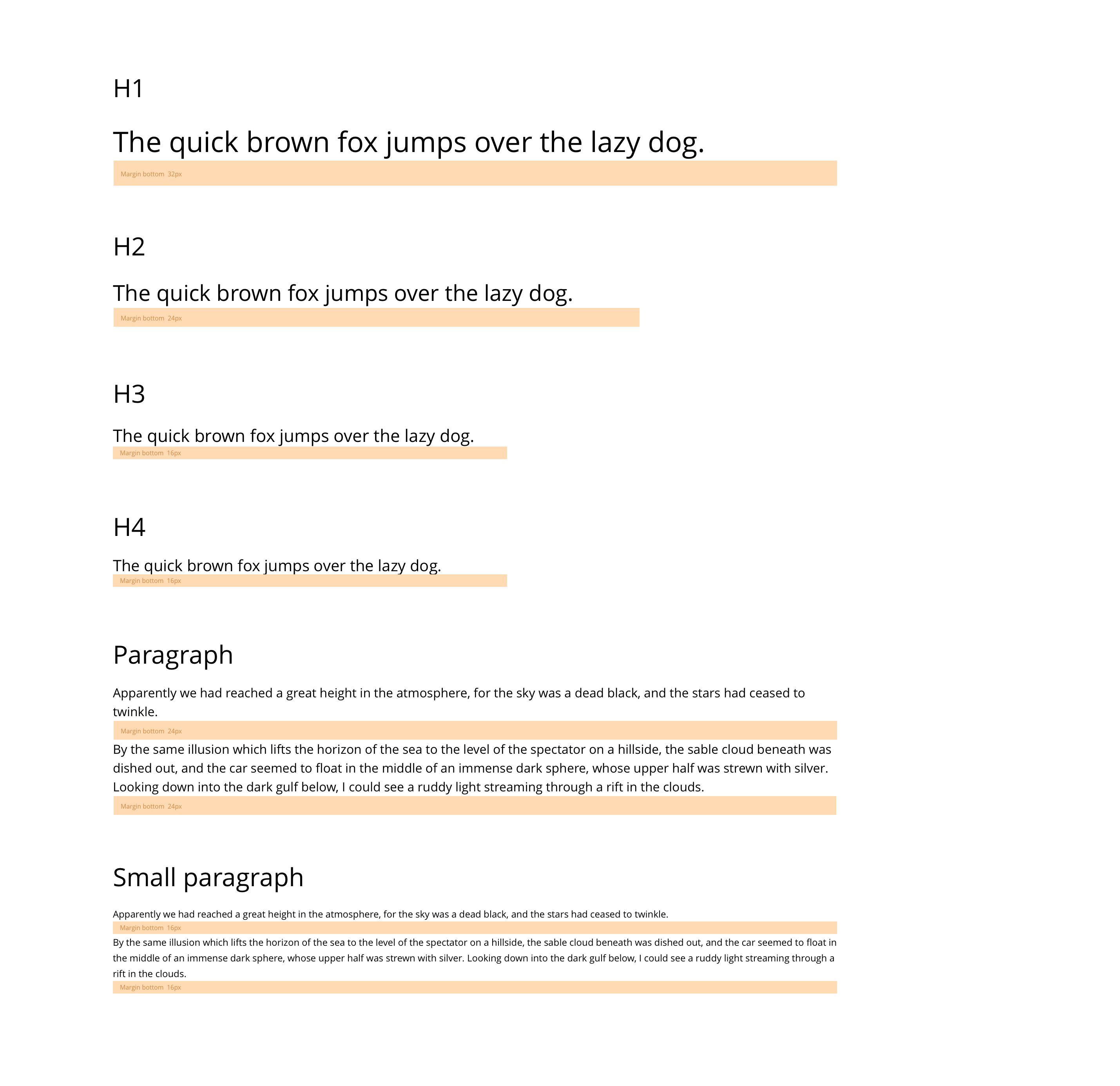
Tablet
Paragraph mobile 16px
| Property | Value | Example Text |
|---|---|---|
| Family | Open Sans (400) | The quick brown fox jumped over the lazy dog |
| Size | 16px | |
| Line height | 24px |
H1 mobile 32px
| Property | Value | Example Text |
|---|---|---|
| Family | Open Sans (400) | The quick brown fox jumped over the lazy dog |
| Size | 32px | |
| Line height | 42px |
H4 mobile 18px
| Property | Value | Example Text |
|---|---|---|
| Family | Open Sans (400) | The quick brown fox jumped over the lazy dog |
| Size | 18px | |
| Line height | 22px |
Small paragraph mobile 16px
| Property | Value | Example Text |
|---|---|---|
| Family | Open Sans (400) | The quick brown fox jumped over the lazy dog |
| Size | 12px | |
| Line height | 20px |
H2 mobile 24px
| Property | Value | Example Text |
|---|---|---|
| Family | Open Sans (400) | The quick brown fox jumped over the lazy dog |
| Size | 24px | |
| Line height | 32px |
H3 mobile 20px
| Property | Value | Example Text |
|---|---|---|
| Family | Open Sans (400) | The quick brown fox jumped over the lazy dog |
| Size | 20px | |
| Line height | 25px |
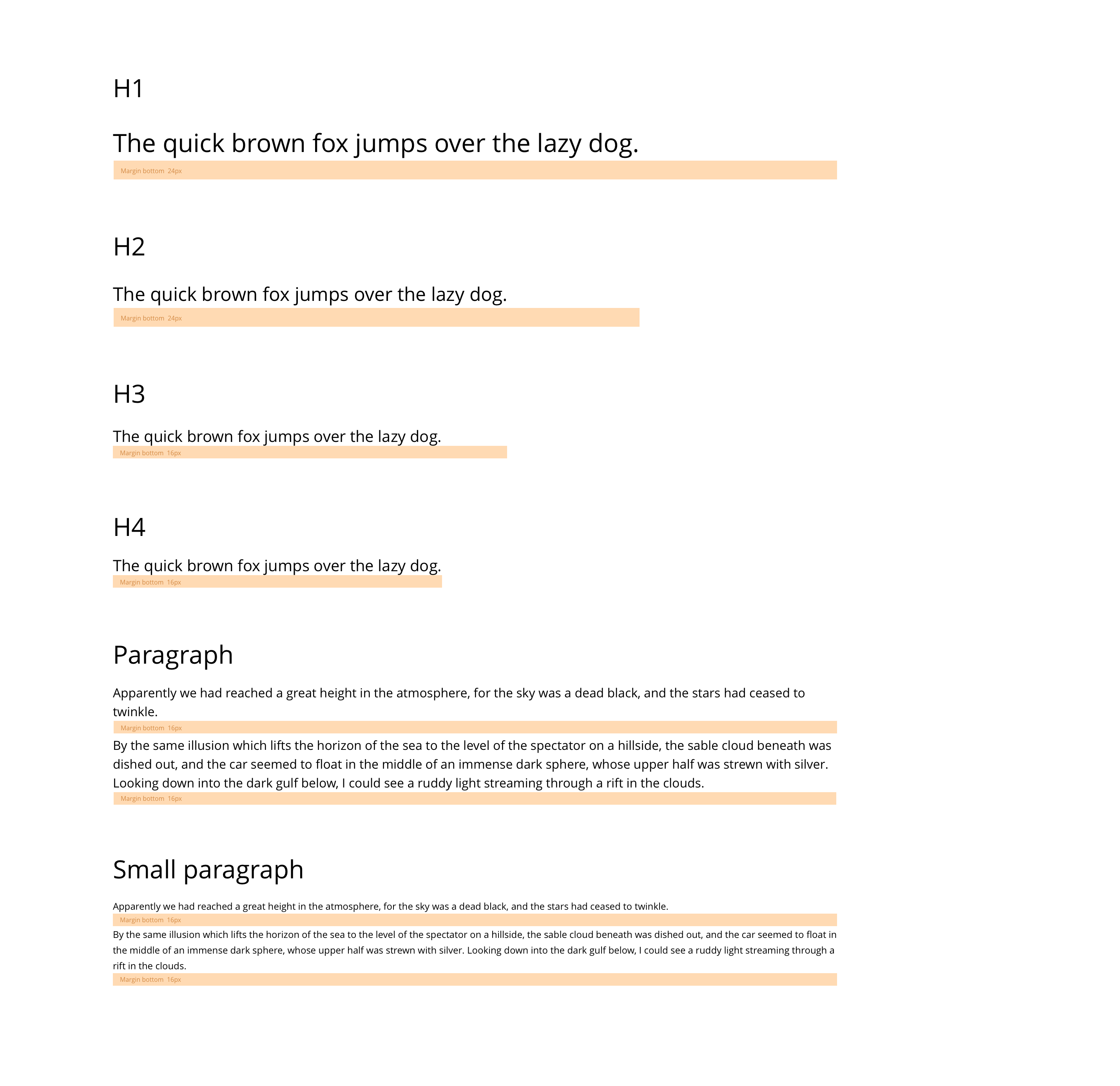
Mobile
Fonts libraries should either be uploaded or imported to the site for use.
Imported fonts
You can import fonts from web font providers like Google fonts. These fonts are hosted externally, so you just need to add the URL of the font along with the required weights. For example if you were hosting a Google font, the URL would look something like this;
"https://fonts.googleapis.com/css?family=Open+Sans:400,400i,700,700i"
Google web fonts
When importing Google web fonts, please ensure &display=swap is added to the import URL. This will ensure that text on the website is always visible by rendering the text with the fallback font whilst the Google web font is still loading in. It will look something like this;
"https://fonts.googleapis.com/css?family=Open+Sans:400,400i,700,700i&display=swap"
If &display=swap is not added, the text will not be visible until the web font has successfully loaded in.
Uploaded fonts
Uploaded fonts are hosted with your website. You must ensure that you have the appropriate licence to host and serve the font.
When uploading a font you must have one instance of each font format (EOT, TTF, WOFF, WOFF2) included.
If your font supports multiple weights, you will need to import each of these as separate packages. You will also need to create separate font stacks for each weight.
NB. Uploading or importing multiple web fonts can slow down your website loading speed. Only upload or import web fonts that you will use. Remove any fonts you are not using.
Multiple heading styles
Both the H1 and H2 have multiple styles within the Style Guide Manager. For example brands may wish to set a default H1 style for use in most cases along with a display H1 for use on the home page. See the Style Guide Manager for further information on this.