How to Enable Sub-theme
The system supports 3 simultaneous Sub Themes (Cohesion CH Sub Brand Theme, B, C, D,E and F). Each of which can be modified in the SGM.
In order for the Sub Themes to work properly, we should always run a rebuild in the below order:
- Main Default Active theme - run rebuild
- Switch the active theme to sub theme A (Set as default) - save the configuration - clear cache and run rebuild.
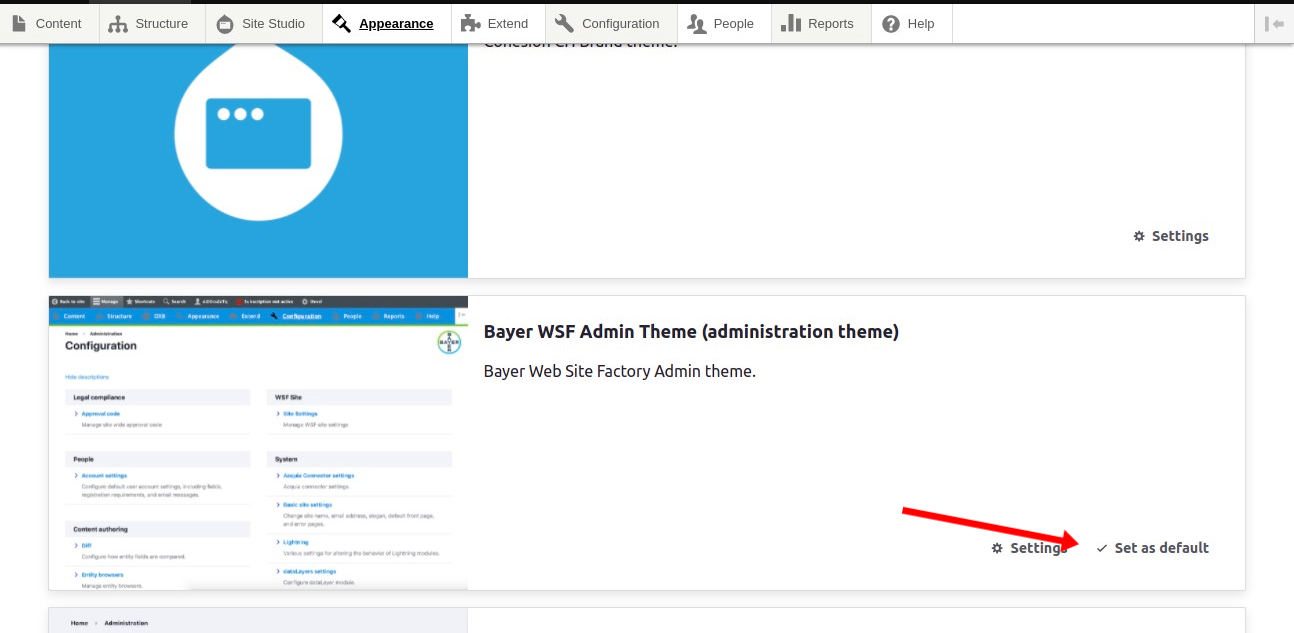
- Switch the active theme to sub theme B - save the configuration - clear cache and run rebuild.
- Switch the active theme to sub theme C - save the configuration - clear cache and run rebuild.
- above mentioned steps can be done on other Sub Brand theme verients too.
- Now, we can switch back to Main theme as earlier.
To Clear Cache you can go to Configuration - Development - WSF Clear Cache
To Run Rebuild you can go to Acquia Cohesion - Developer Tools - Rebuild
After running the rebuilds, if there are any other changes done in the SGM it won’t be needed to run the rebuilds again, the changes will reflect in the respective Sub Theme.